Sales Order Payable
Overview
This submodule extends Odoo’s Sales functionality by allowing users to create and register payments directly from a Sale Order.
It also supports automatic invoice generation and reconciliation based on configurable payment rules.
Key Features
1. Register Payment from Sale Order
Once the module is installed:
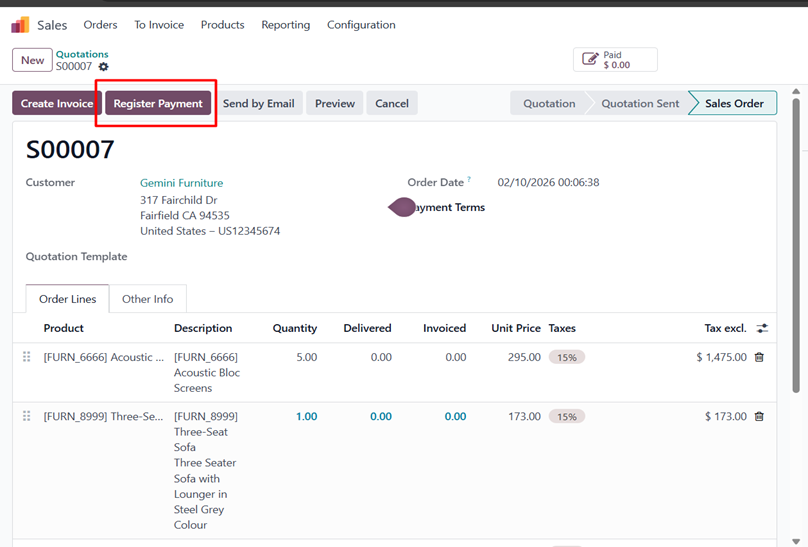
- A “Register Payment” button is automatically added to the Sale Order form view
- The button is visible only when the Sale Order is in Confirmed state
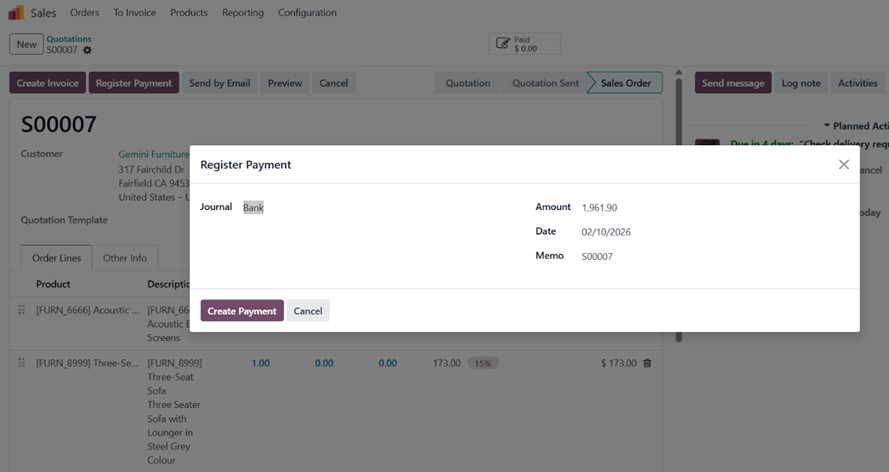
Clicking this button opens a payment wizard where the user can specify:
- Journal
- Payment date
- Memo / reference
Amount to be paid
2.
- Linked Records Visibility
- After a payment is created:
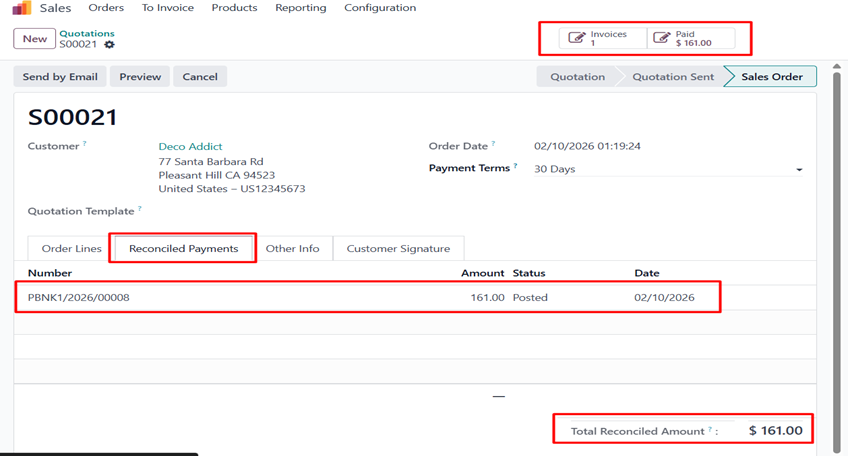
- The Sale Order will display linked records, including:
- Related invoices
- Payment records
- Paid and outstanding amounts
- The system automatically shows reconciliation details between payments and invoices (if applicable)
Automatic Invoice Generation
Configuration
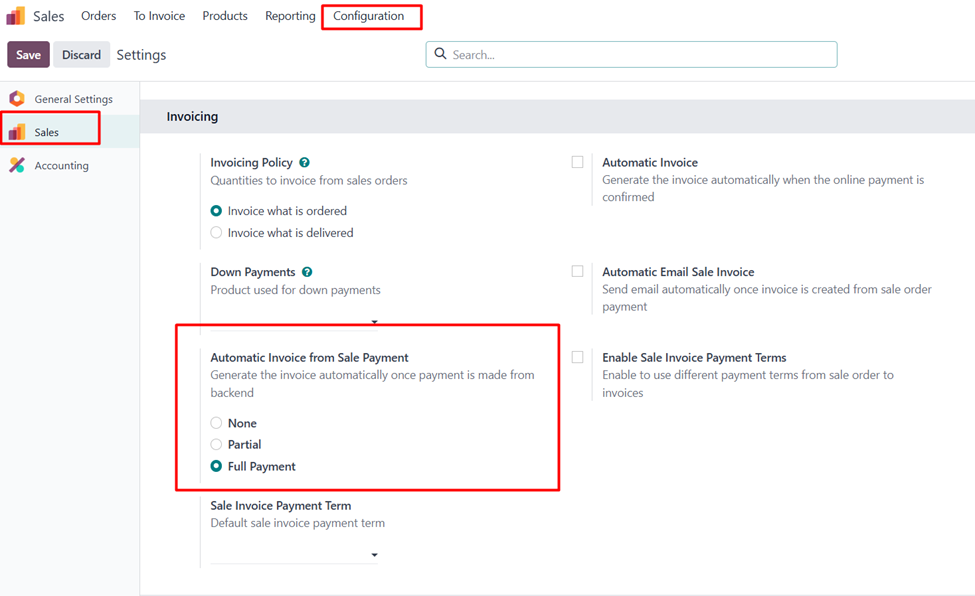
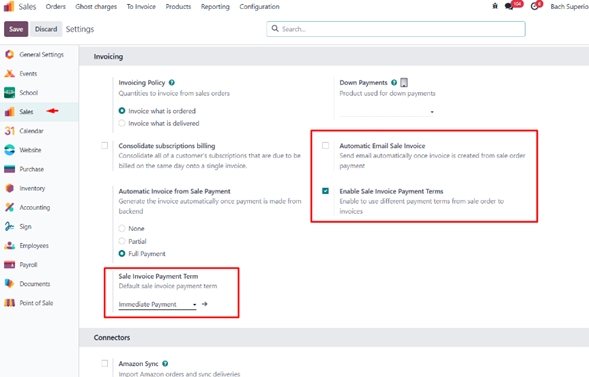
Under Sales → Configuration → Settings, a new option is available:
Automatic Invoice from Sale Payment
This setting controls when invoices are automatically generated after a payment is registered.
Available options:
- None – No invoice is created automatically
- Partial Payment – An invoice is generated even if the Sale Order is partially paid
- Full Payment – An invoice is generated only when the Sale Order is fully paid (Amount Due = 0)
When enabled, the generated invoice is:
- Automatically linked to the Sale Order
- Automatically reconciled with the created payment
Additional Functionality
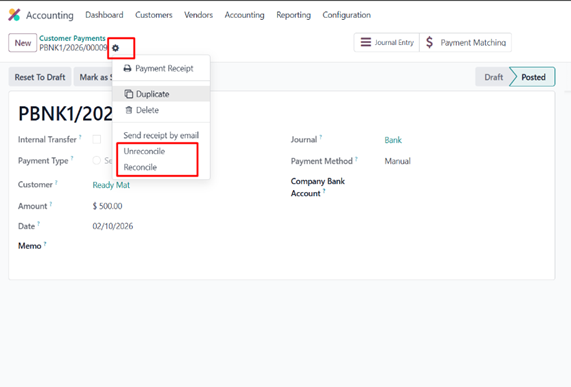
Reconcile and unreconciled Existing Payments
The module also allows reconciliation of existing payments to a Sale Order or Invoice.
Steps:
- Open the Payment record
- Click Reconcile from the action (gear) menu
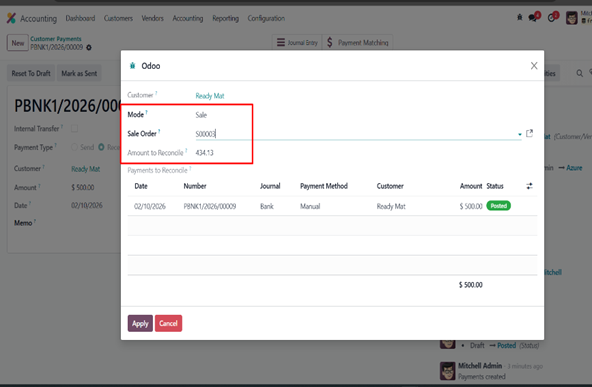
Choose the reconciliation mode:
- Sale Order
- Invoice
- Select the target record
- The system automatically displays the amount due
- Click Apply to complete the reconciliation
The reconciliation is performed automatically once confirmed.
Other configurations
- Auto Email sending of sale invoice
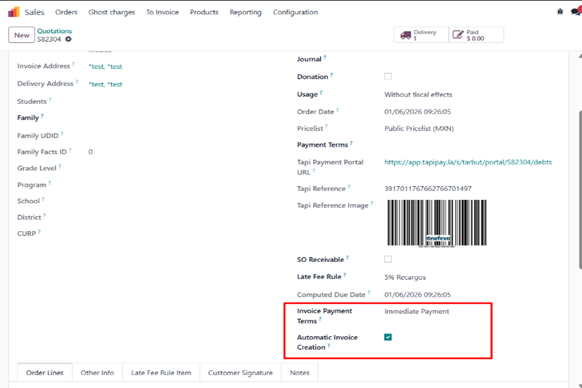
- Payment terms option from sale order to invoice
-
Automatic Invoice Creation
Boolean checkbox- for auto create invoice once paid
Summary
This submodule enhances payment handling in Sales by:
- Enabling direct payment creation from Sale Orders
- Supporting configurable automatic invoicing and payment terms
- Providing flexible reconciliation for existing payments
Improving traceability between Sale Orders, Payments, and Invoices