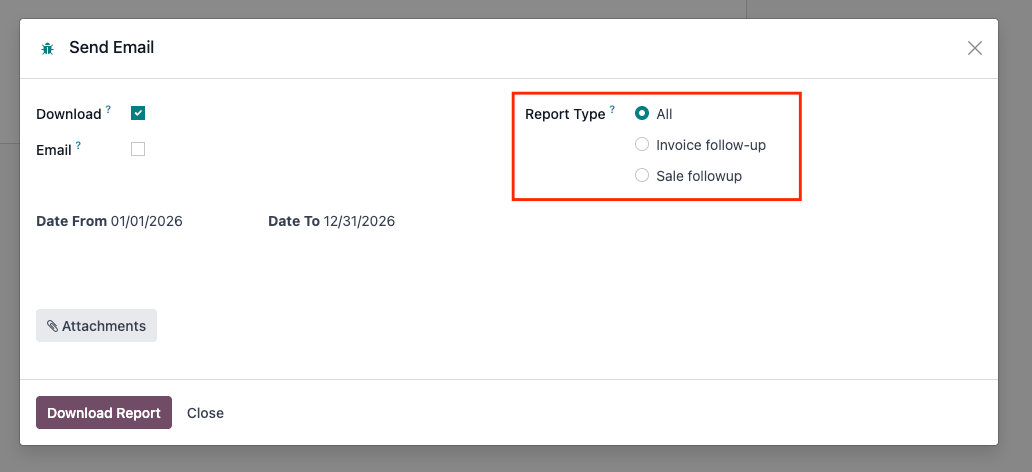
Followup Report API
Get the user id. Details to be provided by Eduweb: URL, database name, Odoo username, and API key. These will be different for staging and production environments.
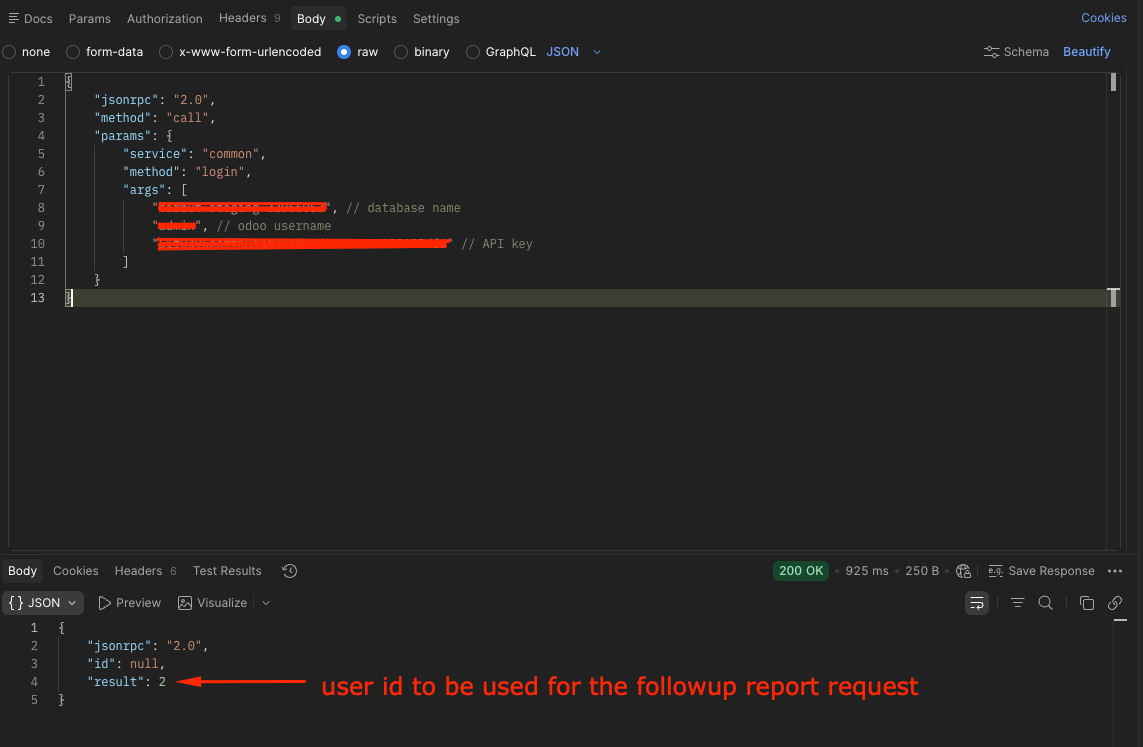
Sample request:
{
    "jsonrpc": "2.0",
    "method": "call",
    "params": {
        "service": "common",
        "method": "login",
        "args": [
            "test_db", // database name
            "test_username", // odoo username
            "test_api_key" // API key
        ]
    }
}
Send a POST request using the following details. Take note of the user id from the previous request.
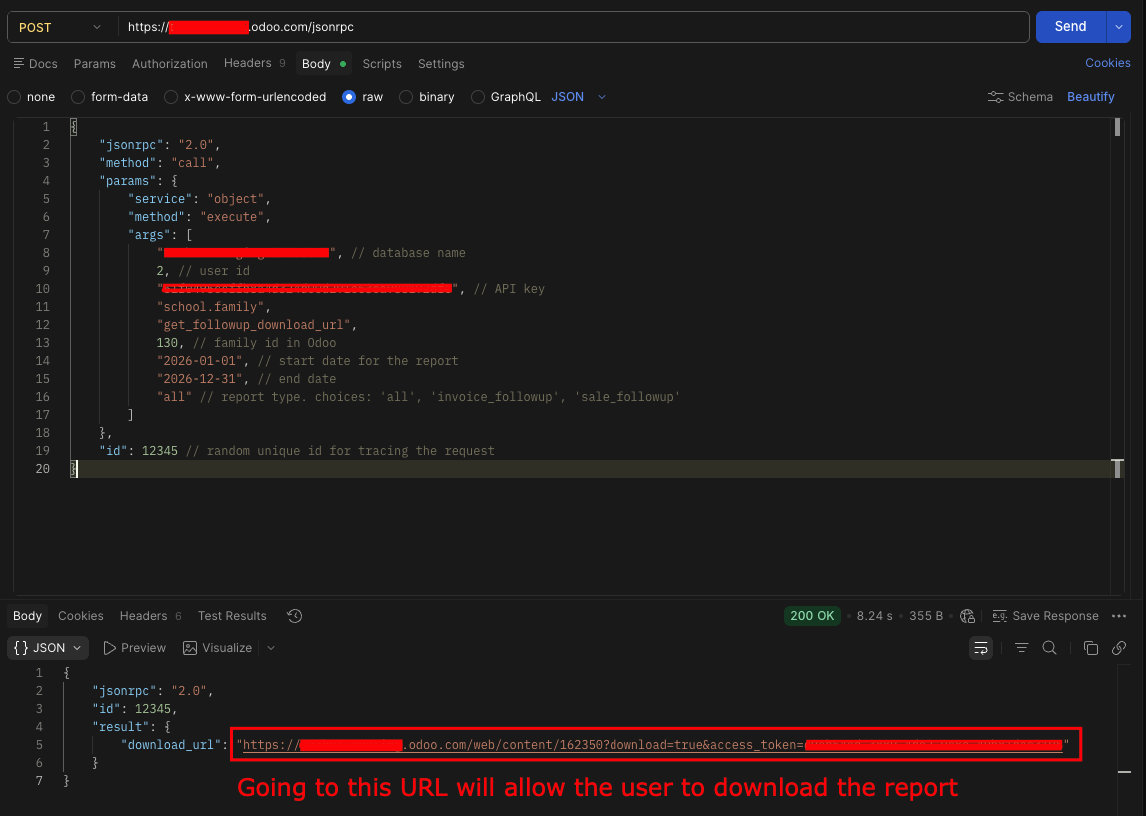
Sample request:
{
    "jsonrpc": "2.0",
    "method": "call",
    "params": {
        "service": "object",
        "method": "execute",
        "args": [
            "test_db", // 1. database name
            2, // 2. user id
            "test_api_key", // 3. API key
            "school.family",
            "get_followup_download_url",
            130, // 4. family id in Odoo
            "2026-01-01", // 5. start date for the report
            "2026-12-31", // 6. end date
            "all" // 7. report type. choices: 'all', 'invoice_followup', 'sale_followup'
        ]
    },
    "id": 12345 // random unique id for tracing the request
}
Args (keep the other args as is):
Database name: same as previous request
Odoo user id: from the previous request's response
API Key: same as previous request
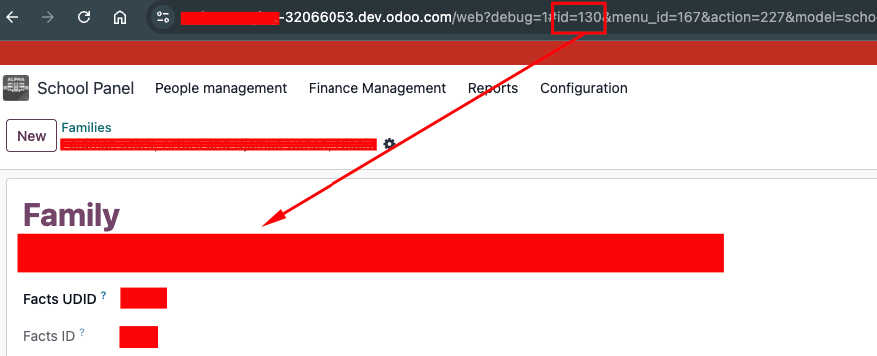
Family ID: This is the family ID in Odoo. If this is not available in your system, Eduweb will provide the request to get it via API. In this example, 130 is the family ID for the sample family
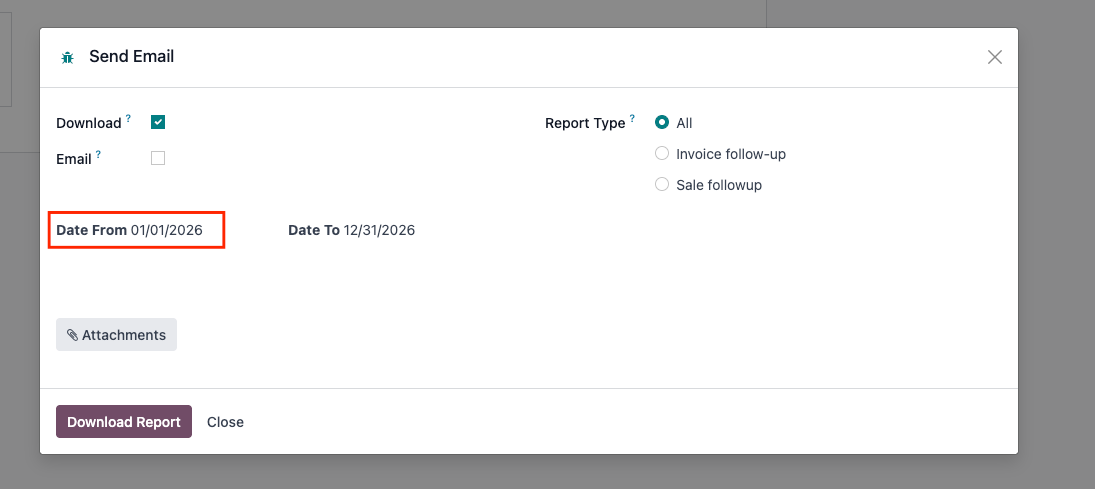
Start date: This is the “Date From” field in the report.
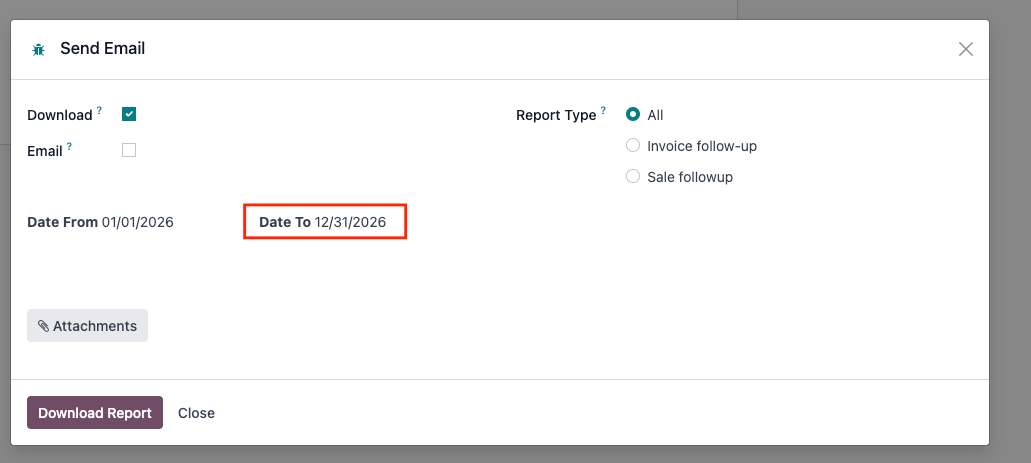
End date: This is the “Date To” field in the report.
Report type: Choices are
all,invoice_followup,sale_followup